
Projects
Every project, from first enquiry to paid.
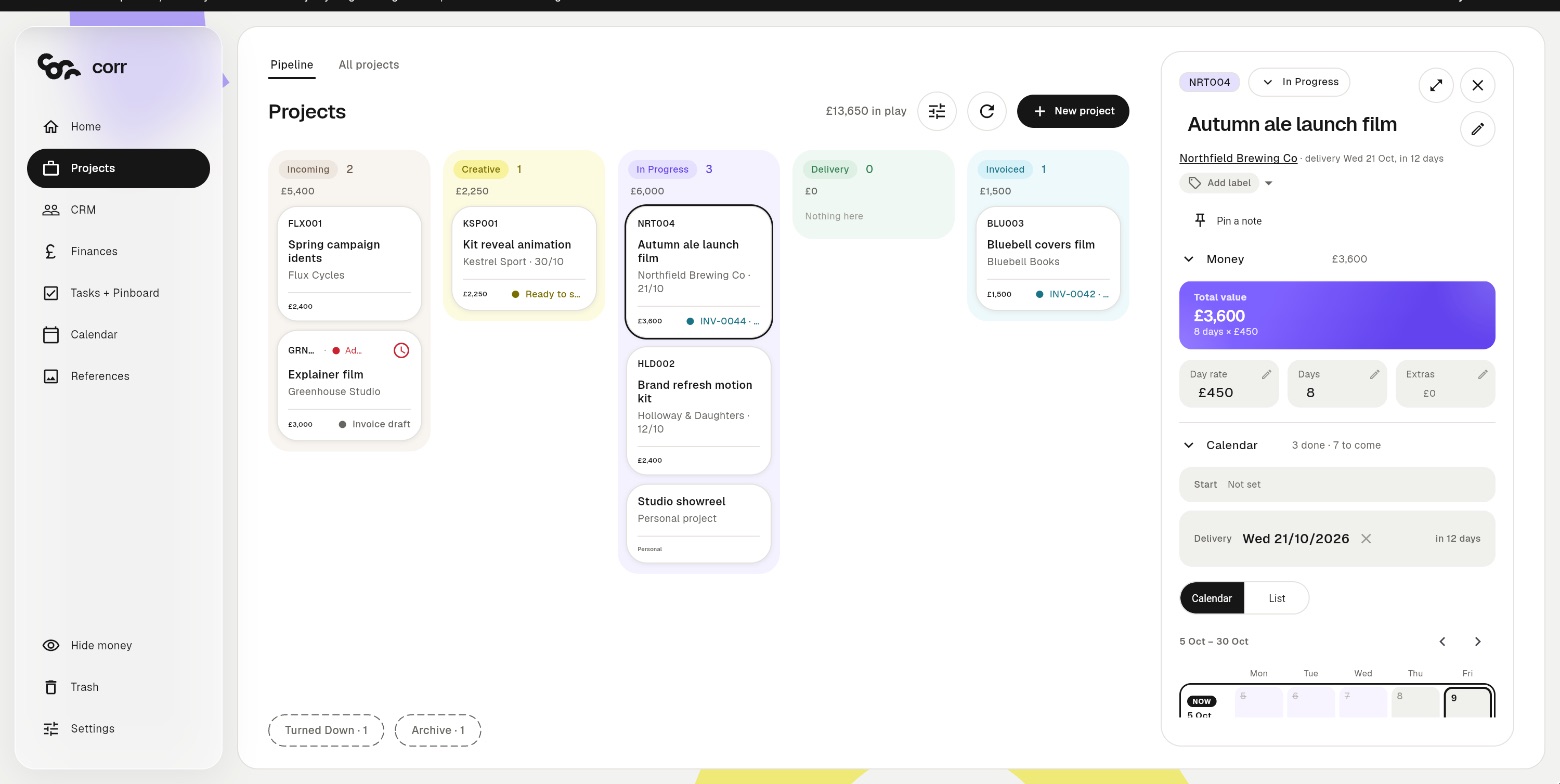
A board by stage, from Incoming to Invoiced. Open a project for its value, day rate and days, its booked days on a calendar, its notes, tasks and invoices, all in one drawer.
For freelancers on a Mac
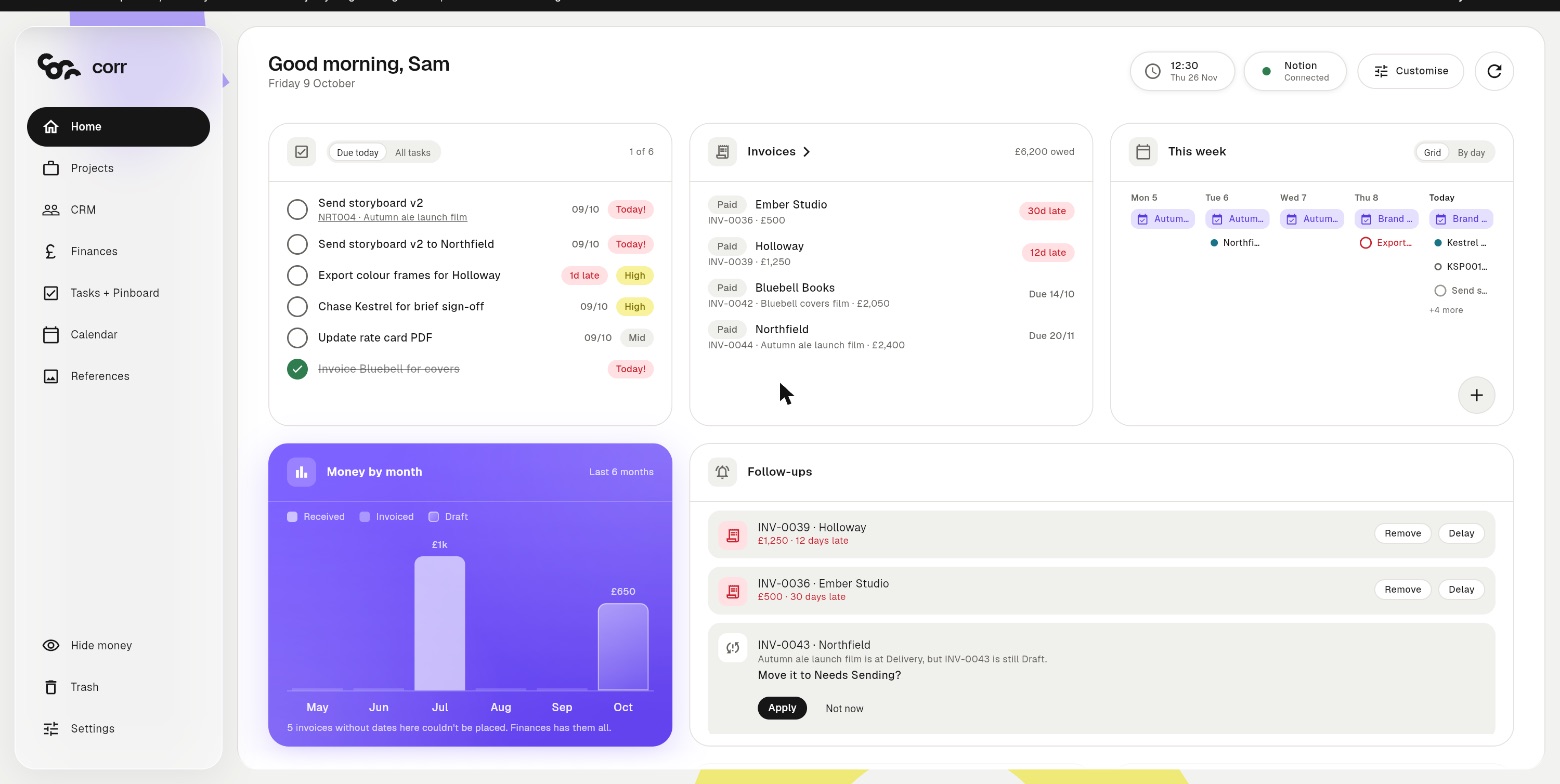
Corr keeps your projects, tasks, invoices and calendar together, on top of your own Notion. See your day at a glance, know who owes you, and book your time without juggling five tabs.
The demo runs on a made-up studio, so click anything. Corr for Mac is coming soon.
Projects
A board by stage, from Incoming to Invoiced. Open a project for its value, day rate and days, its booked days on a calendar, its notes, tasks and invoices, all in one drawer.
Finances
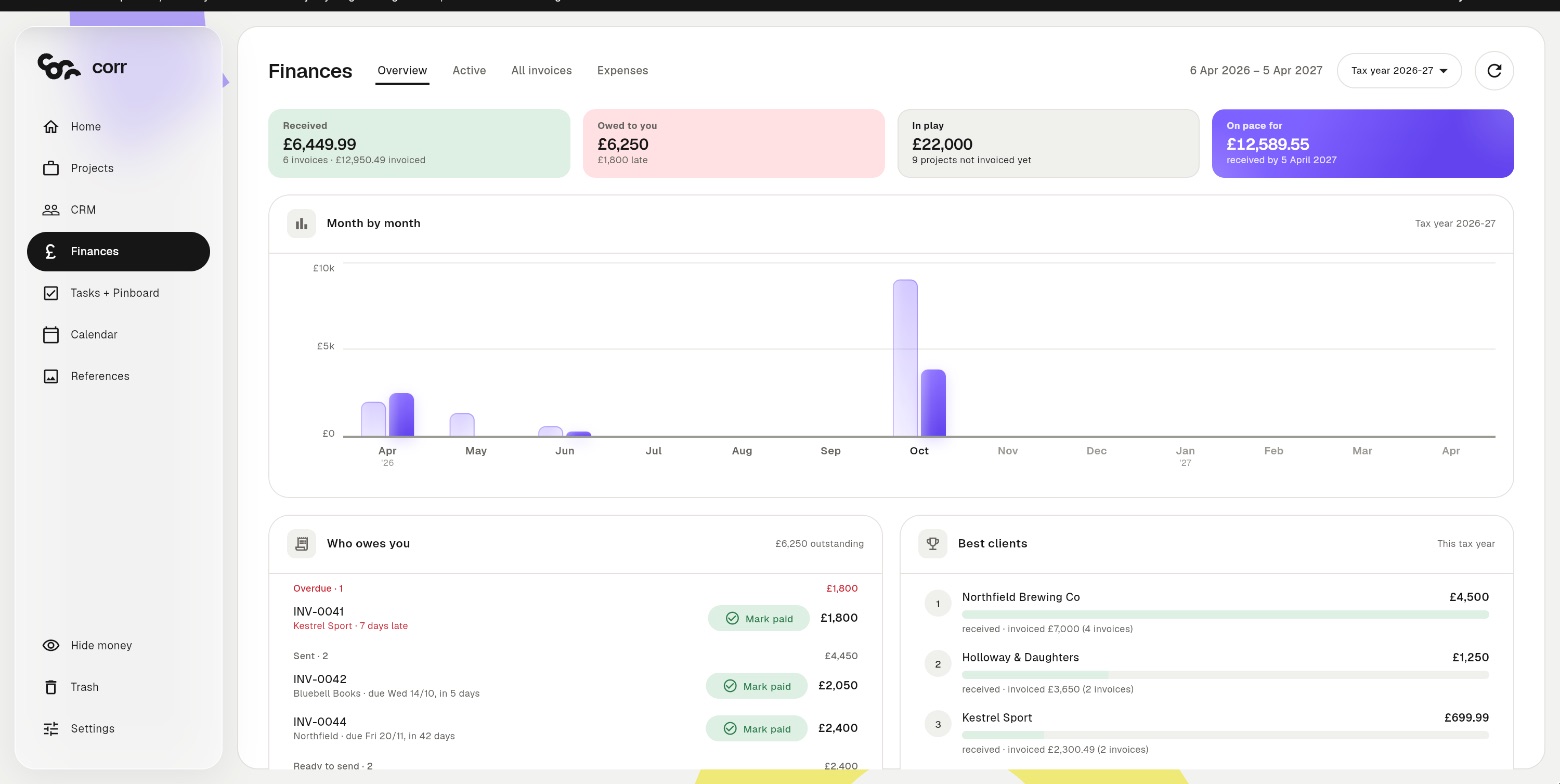
What's come in, what you're owed and what's late, month by month across your tax year. See your best clients, mark invoices paid in a click, and keep expenses and receipts beside them.
Calendar
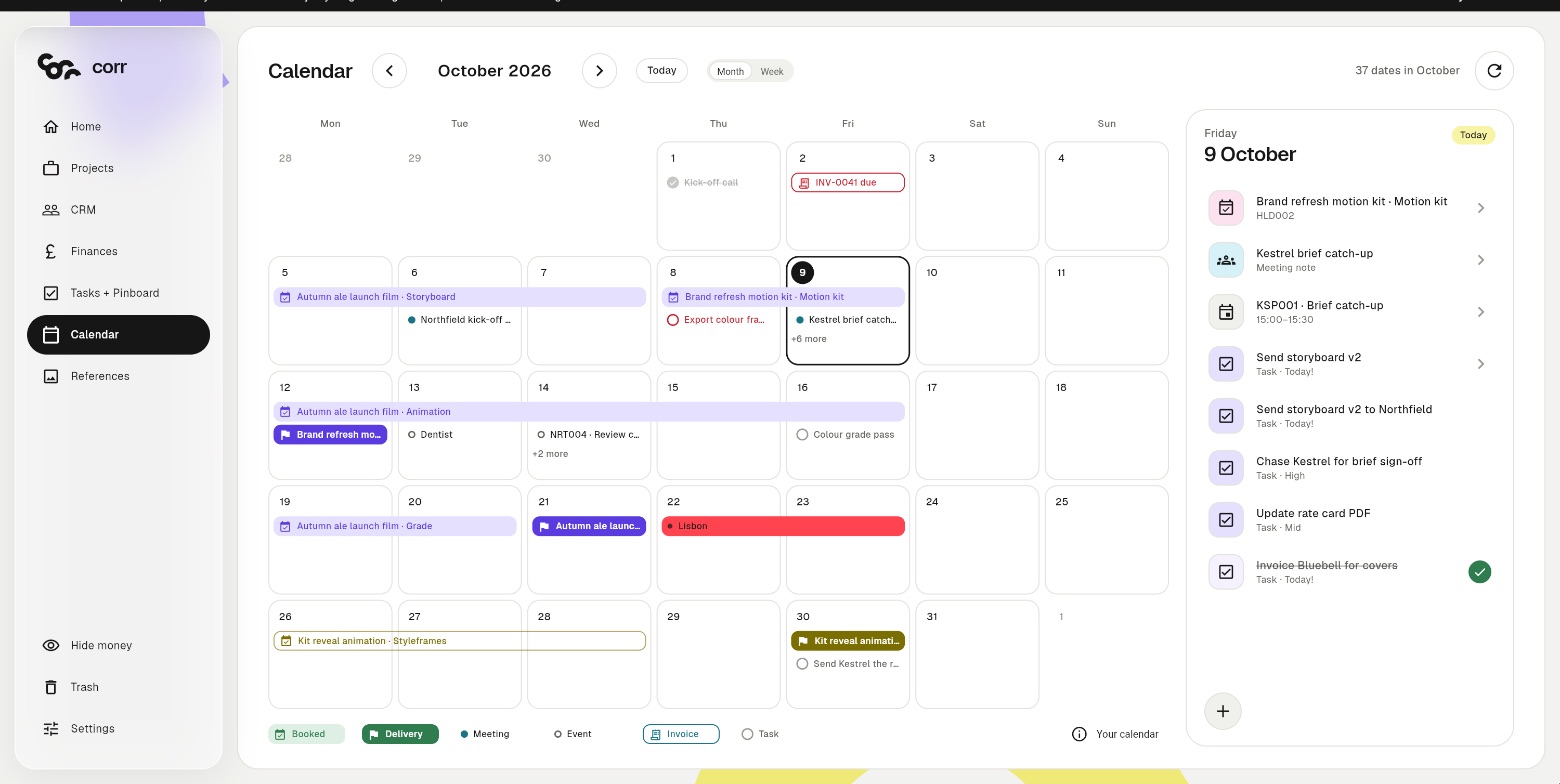
Bookings, pencils, meetings and holidays from your Google or Mac calendar, beside deliveries, invoices due and tasks. Drag across days to book them; Corr never emails your guests.
Your data
Everything Corr shows lives in your own Notion workspace, where you can open it any time. Corr runs on your Mac and talks to Notion directly: there's no Corr cloud keeping a copy.
You sign in with Notion, and the free Notion plan is fine. Stop using Corr and your workspace is still there, just as you left it.
Leave your email and we'll send one message when you can download it. Nothing else.
Yes: Corr keeps everything in your own Notion workspace. A free Notion account is enough, and Corr can set one up with you.
Not yet. Corr is for Mac first; Windows is planned.
We haven't set a price yet. Join the waitlist and you'll hear first.
No. Corr works on its own. If you'd like an assistant, you can connect Claude, Cursor or a model running on your Mac, and it works with your projects and invoices through Corr.
It stays in your Notion workspace and on your Mac. Corr doesn't keep a copy anywhere else. The demo on this site uses made-up data and saves nothing.